顯示具有 Creo VBA API 標籤的文章。 顯示所有文章

2016年11月9日 星期三

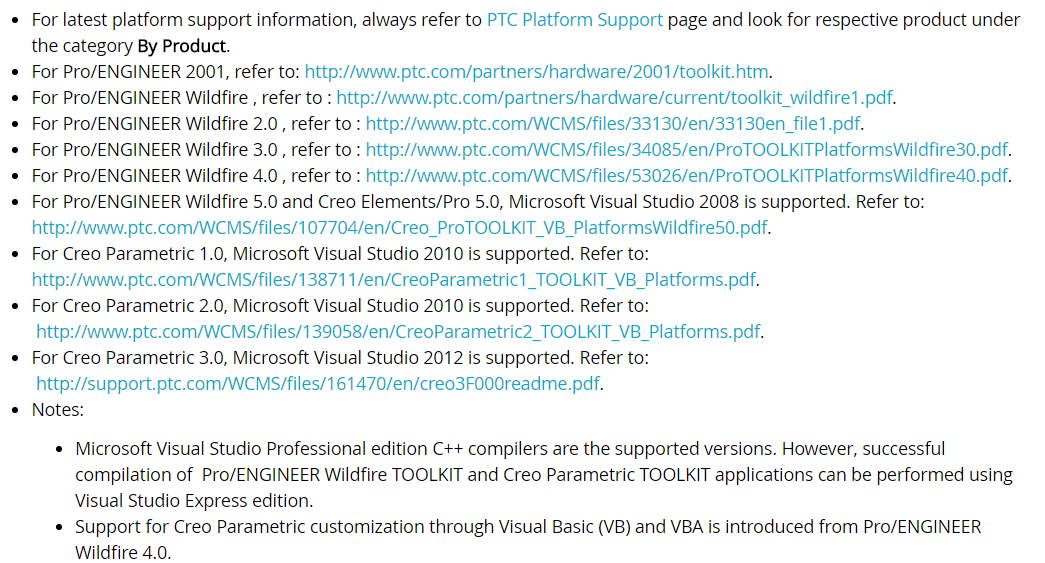
[Creo API] Compiler and platform support information

Information for Pro/ENGINEER Wildfire TOOLKIT, Creo Elements/Pro TOOLKIT, Creo Parametric TOOLKIT and VB API.

/=====================================================/
Compiler and platform support
發佈者: fengsw2008 文檔分類: Java 文檔格式: DOC
出處:PTC CS Support => Document - CS44547
/=====================================================/


2016年11月3日 星期四

[Creo VBA] Easily add or delete parameters from Excel to Creo

Function of Design Automation
                                                             
- Add or Delete parameters by MS Excel
- Batch processing
- Fast and repetitive execution to the Creo

- The demo video only show one function of automation.

/=====================================================/
Easily process parameters from excel to creo

為何要運用Excel簡易的批次處理參數到Creo CAD?

有些設計我們會在不同的model中重複使用到相同的參數,比如LENGTH, WIDTH, DEPTH, PARTNAME, MASS等等的參數,這時候若是要在很多不同的Part(model)中使用,一個一個參數輸入,這是一件非常煩人又無聊的事情,尤其是Creo Parameter table提供給你的輸入方式對比Excel而言非常的不人性化,因此就想到使用Creo API來設計一隻程式可以快速的增加或是刪除參數。

Google translate as follow ~
Some of the design we will be reused in different models to the same parameters, such as LENGTH, WIDTH, DEPTH, PARTNAME, MASS, and so the parameters, this time if in many different Part (model) used, one parameter input , Which is a very annoying and boring things, especially the Creo Parameter table to provide you with the way, compared to Excel is very humane, so you want to use Creo API to design a program that can quickly increase Or delete the parameters.

/=====================================================/
2016年10月28日 星期五

[Creo VBA]Get Mass Properties

Design Automation
- Creo VBA
- Use Excel to Get Mass Properties of Model
- Excel connect to Creo

/=====================================================/
- IpfcParameters
- IpfcParameterOwner
- IpfcParameter
- IpfcBaseParameter
- IpfcParamValue
- IpfcNamedModelItem

/=====================================================/


The demo video


[Creo VBA] Get Parameter

Design Automation
- Creo VBA
- Use Excel to Get Model's Parameter and list.
- Excel connect to Creo

/=====================================================/
- IpfcParameters
- IpfcParameterOwner
- IpfcParameter
- IpfcBaseParameter
- IpfcParamValue

/=====================================================/


The demo video


[Creo API] Open Model

Design Automation
- Creo VBA
- Use Excel to Open Creo 3D Model
- Excel connect to Creo

/=====================================================/
- CCpfcModelDescriptor
- EpfcModelType.EpfcMDL_ASSEMBLY

/=====================================================/


The demo video


[Creo API] Start Creo

Design Automation
- Creo VBA
- Use Excel to Start Creo 3D software
- Excel connect to Creo

/=====================================================/
- CCpfcAsyncConnection
- AsyncConnection

/=====================================================/

The demo video


2016年2月22日 星期一

[Creo API] 由Excel設計變更修改Creo Parameter參數

上一篇 [Creo VBA API_How to get Parameters quickly? 如何快速獲取參數 ?],如何藉由Excel快速獲取參數 !

藉由Excel取出參數只是一個附屬的功能,真正要做的是「由Excel設計變更修改Creo Parameter參數」進行實現快速的設計自動化;

Get parameter value is only a subsidiary function via Excel,
Really need to do is "From Excel to modify the design changes of Creo Parameter" rapid design automation;

為何這樣說呢?

若你有100個以上的參數要變更,一個一個在設計table表中例出,然後又一一的在Creo 參數表中輸入,那真的會花費許多時間!
If you have more than 100 parameters to change,one by one listed in the table design table , and then another one in Creo input parameter table, it really takes a lot of time!


來看看怎麼實現透過Excel VBA API設計變更修改Creo CAD 參數
Show you how to get the parameter via Excel VBA API

Step 1: Excel VBA API  <=> Creo CAD ,取得Parameter參數


Step 2: 從Excel 修改Parameter參數,黃色欄位 
             Modify Parameter Parameter from Excel, yellow field
    - 1) NO_PT1_CIRCLE  16 => 6
    - 2) TYPE_PT1  2 => 1 
    - 3) TYPE_PT2  2=> 1

請留意,除了數量變動外,特徵已經變更了
The value has been changed and features have changed.